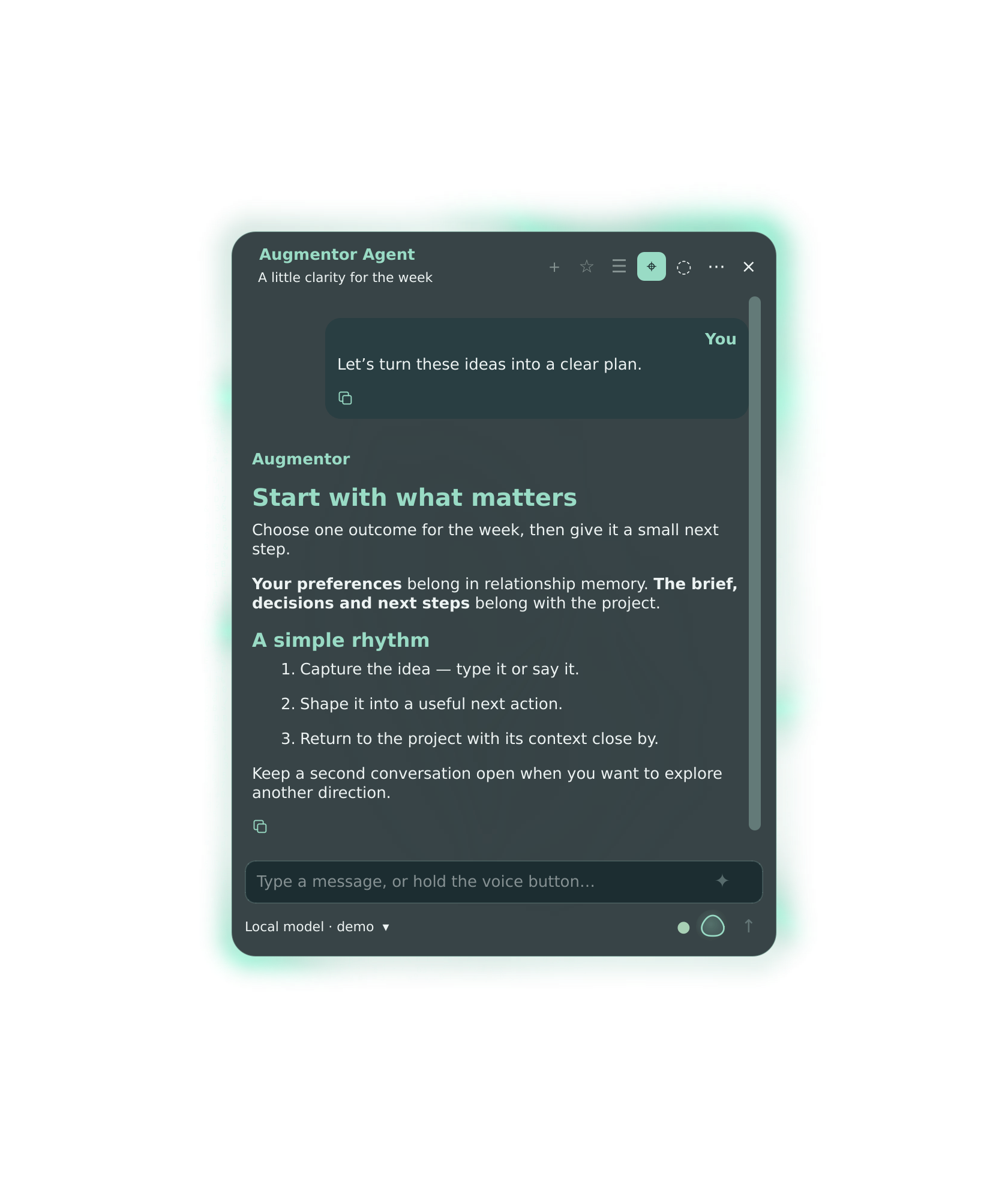
01BrowserYour real tabs. Your agent alongside.02DesktopOne shortcut away.
Two interfaces. Your choice of model. Desktop capture uses staged demo content.
CHOOSE YOUR PLATFORM
Download. Set up. Make it yours.
Download Desktop and its matching browser companion for Linux, Apple silicon Macs or Windows 11. DSH and the required plugins are included. Bring your own local or cloud model; choose the guide for your operating system.
Desktop + Browser · Windows 11 · Intel/AMD and ARM
Windows preview 3: unsigned installer; Windows security policy may warn or block it. Physical PC testing starts with this download. Automatic updates are not available yet. Read the security notice ↗
Version 0.2.13 · Windows 11 25H2 or later (build 26200+) · native x64 or ARM64. One per-user installer bundles Desktop, Browser, DSH, plugins and private runtimes. Open Augmentor from the Start menu, use Agent setup to start DSH and add your own model, then Browser setup to choose your Chromium-based browser and load the bundled extension. Ctrl + Alt + Space shows or hides the app.
Fresh installations. Local voice/memory engines, desktop automation, Windows Pi/Codex and cross-version upgrades are not qualified. RTX Spark hardware has not been tested. Read preview limits ↗
Desktop + Browser · macOS · Apple silicon
Early preview: not signed with Apple Developer ID or notarized by Apple. First launch requires System Settings → Privacy & Security → Open Anyway. The browser extension uses manual Load unpacked. Automatic updates are not available yet.
Version 0.2.13 · Handy dictation preview 3 · M1 or later · macOS 14+ · your Chromium-based browser, including Comet. Drag Augmentor into Applications, approve its first launch, then use Agent setup to start DSH and add your model. DSH, Python, Node and the required plugins are bundled. Fn + Space shows or hides the desktop. Includes the general browser reliability repair: complete fresh page observations, long-page reading and stable tab targeting. Browser setup lets you choose your installed Chromium-based browser, including Comet. Flare transparency and immediate App size adjustment from 75% to 150% are included. No model account, API key or model weights are included.
For fresh installations. Desktop chat and browser setup are the preview focus; speech, local memory and desktop-control permissions need separate configuration and qualification. Read preview limits before installing ↗
The 0.2.13 release strengthens general browser work with complete fresh page observations, recoverable omitted text, long-page reading and stable tab targeting. It retains the Desktop flare and WebSocket security corrections. Current source and issue tracker ↗. Extract the archive and run ./install.sh as your normal user. It verifies its files, requests package installation through sudo, asks for your model connection, and sets up login startup, recovery and a second window. Finish by loading the supplied extension in Chromium. Desktop can be used without loading the extension.
Included recovery: bounded continuation after empty or truncated responses, duplicate-action protection during recovery, and respect for Stop and user handoffs. Model answers still need verification. What changed and release limits ↗
Fresh installations only: existing Augmentor or DSH data is preserved and requires a reviewed migration. This is a Linux preview, with desktop-control qualification scoped to KDE Plasma Wayland. Model weights and credentials are not included.
Other downloads · experimental Fedora and legacy Browser
The Fedora Desktop RPM is an older experimental build with container installation/rendering checks, not the complete voice and memory installer. Fedora guide and download ↗
Browser 0.1.32 contains a known WebSocket vulnerability. Use the matching 0.2.13 complete release; the old archive is retained only for historical reference. Legacy release ↗ · Legacy manual ↗
Platform requirements and what comes next
Your model. Your private setup.
The installer creates new settings, tokens and memory stores on your machine. It includes Model Picker 1.1.2, Adaptive Reasoning 0.2.3 and Resonant Voice 0.1.16, plus the shared prompt, memory and execution-recovery adapters. These are installed together; no separate plugin setup is required. Memory extraction starts paused until you choose to process it. No personal conversations, credentials or microphone recordings are distributed.
Linux and Mac previews.
The Linux installer targets Debian 13 amd64. The Mac preview targets Apple silicon with macOS 14 or later. Windows preview targets Windows 11 25H2+ on x64 or ARM64. All previews use a manually loaded Chromium extension. See the Windows guide for unsigned-download and feature limits. Intel Macs and broader Pi support are not available yet.
BUILT AROUND YOUR AGENCY
Your models. Your workflow.
Local or cloud inference, reusable prompts and clear controls. Augmentor brings the useful parts of your harness into a focused interface.
⌘
One shortcut away.
Choose your Desktop show/hide shortcut. Bring the agent into view, give it a task, and tuck it away again. Keep the compact activity view nearby when you want to follow progress.
◈
Local or cloud. Your choice.
Both editions use your configured DSH models. Run a local model through a compatible endpoint, such as llama.cpp, or choose a cloud provider. Switch models for the task.
⊙
Keep sovereignty practical.
Choose where inference runs. With a local model, prompts can stay on your machine; cloud models send requests to your chosen provider. Connected tools and websites have their own data flows.
▣
Browser + local computer tools.
Desktop provides computer-control tools; the matching Browser edition works in your real Chromium tabs.
Access follows your OS permissions and DSH setup. The 0.2.13 Browser preset is scoped to browser tools and memory recall.⌑
A library for your best prompts.
Save, search and reuse instructions. Bring a useful prompt back into the conversation instead of writing it from scratch each time.
✧
Improve the prompt before sending.
Use AI prompt improvement to turn a rough request into clearer instructions. Review the result and keep control of what you send.
⑂
Keep the conversation moving.
Return to history, copy a response, edit a request or branch a conversation. Keep working from the context you already built.
Features below describe the Linux 0.2.13 complete preview. See the Mac and Windows guides for their narrower preview scopes. Voice and memory engines are optional setup choices; availability depends on your model and hardware.
IN YOUR REAL BROWSER
Browser. Your tabs, with an agent.
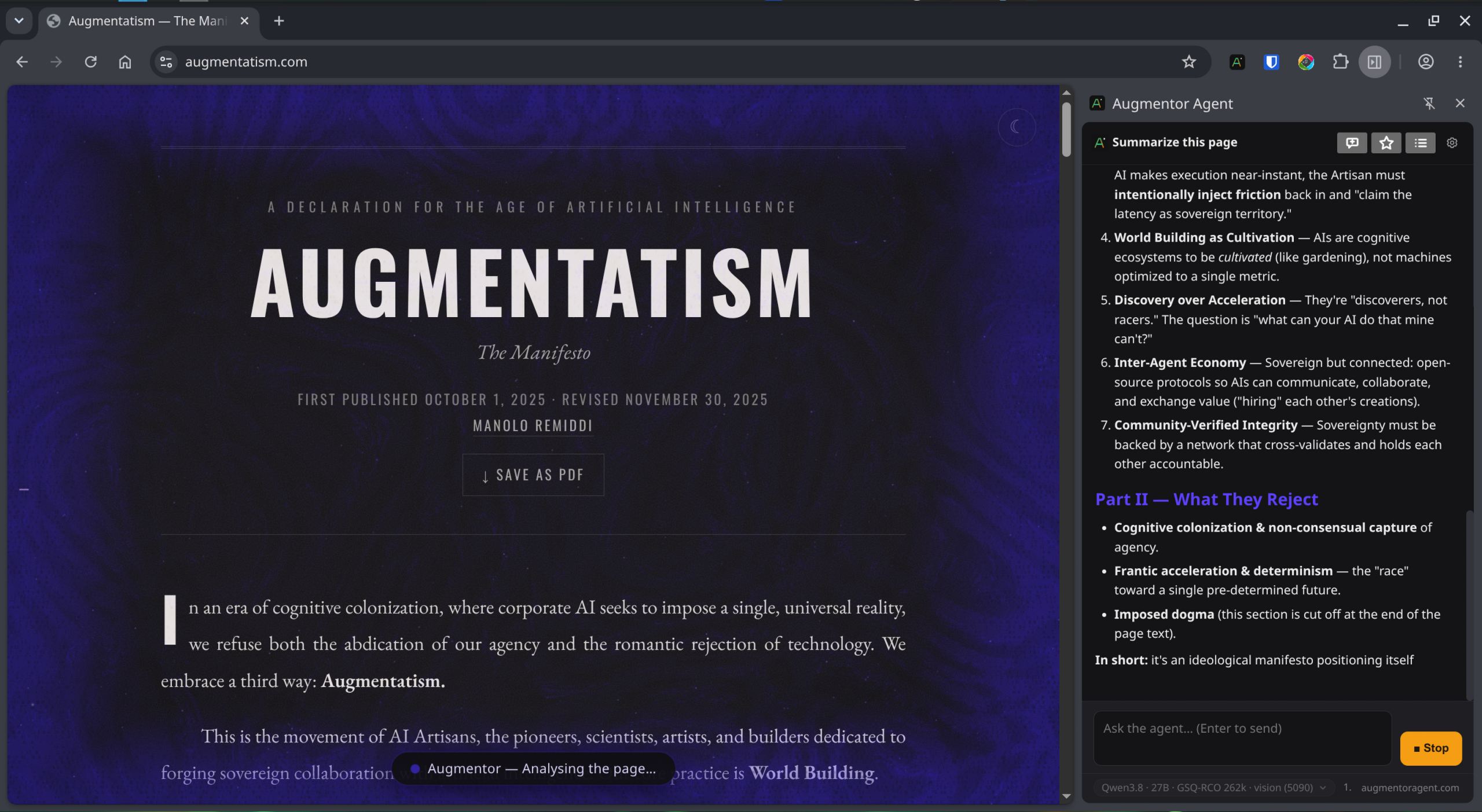
Augmentor reads and acts on the website while the blue activity veil makes its work visible. Here it is analysing augmentatism.com.
Augmentor Browser analysing augmentatism.com · open the screenshot for full detail
Desktop. One shortcut away.
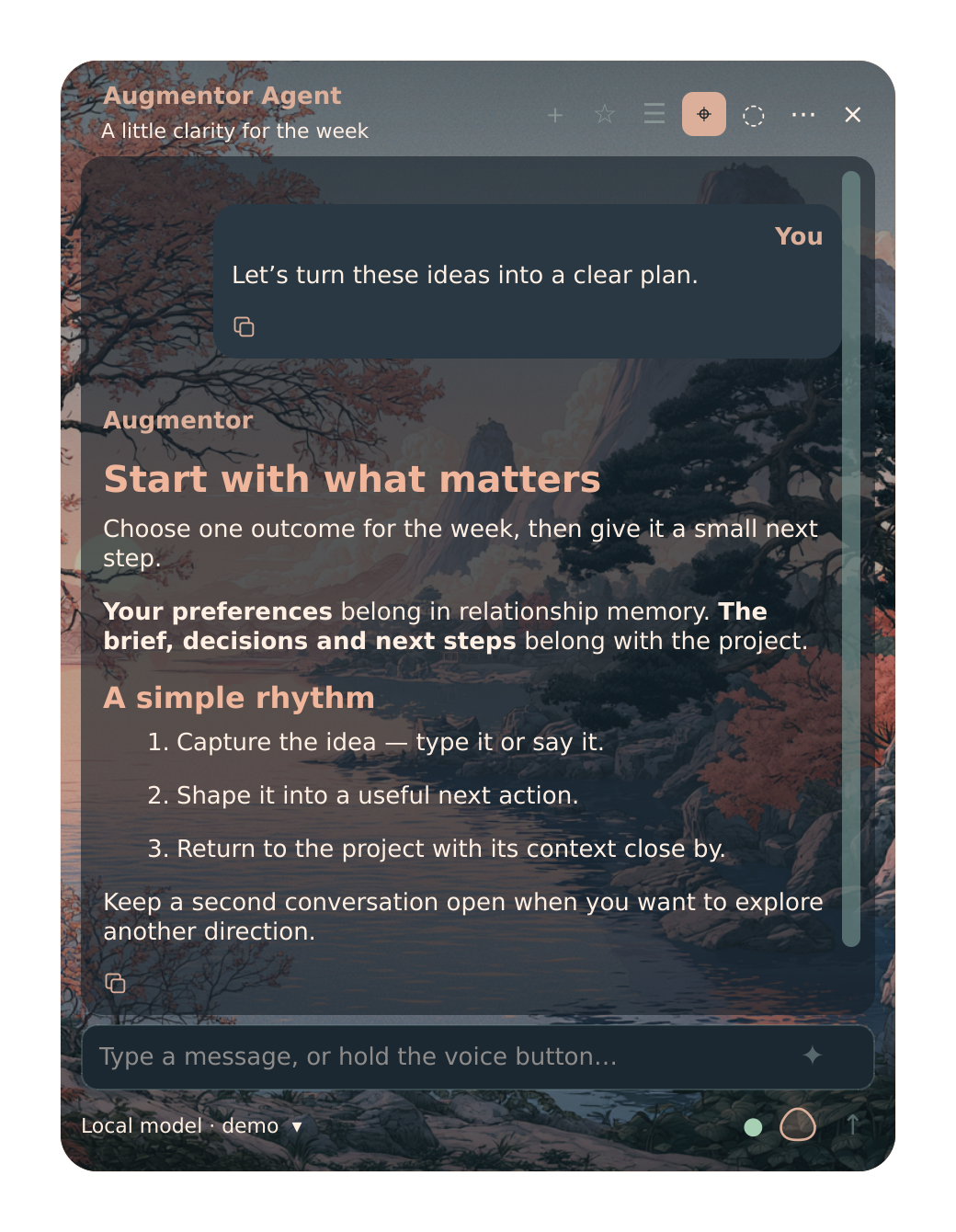
Choose your show/hide shortcut. Open the conversation when you need it, or keep the compact view visible while the agent works. Try both views below.
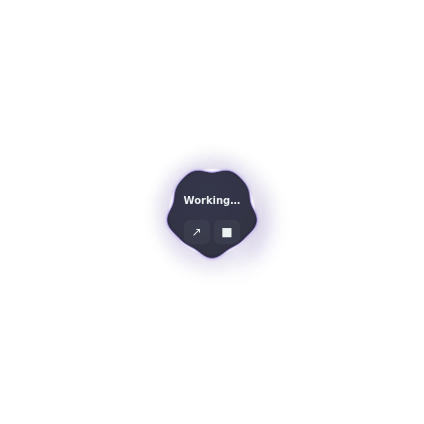
DESKTOP / WORKING STATE
SMALLER SURFACE. SAME PRESENCE.
Room for the conversation. Light around the work.
TWO SKINS. YOUR OWN EXPRESSION.
Choose your atmosphere. Or make your own.
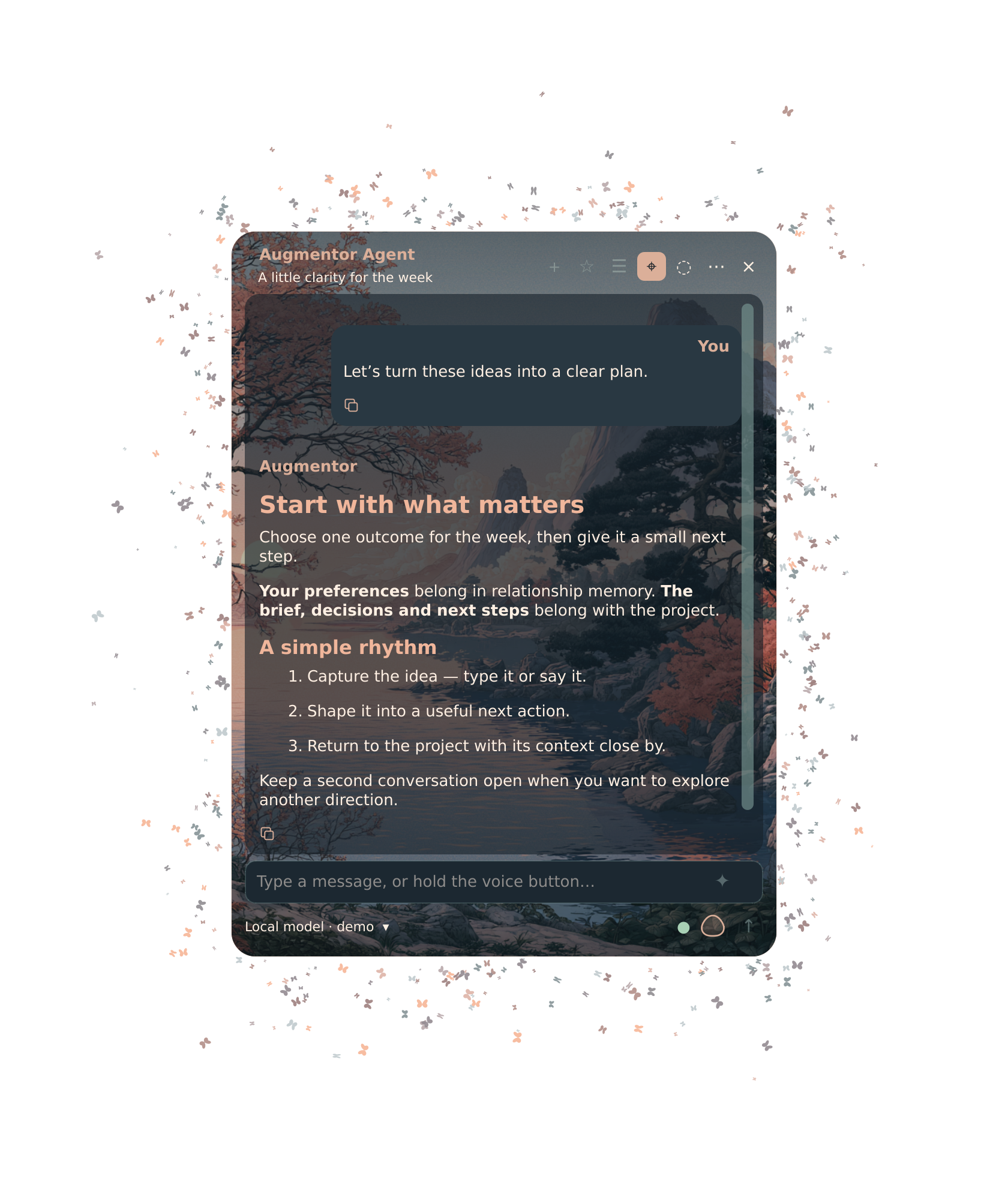
Futuristic brings the plasma glow. Blossom lake brings the butterflies. Explore both, or build a new skin in your browser with your own background and colours.
Create your own skin ↗Upload an image, choose colours, preview and download. Import the file in Augmentor’s Colors & skins.
THE LATEST DESKTOP
A voice. A space that feels yours.
Resonant Voice brings recording and speech playback into the conversation. Hold to talk, slide to lock, or choose hands-free mode. The Blossom lake skin adds a moving field of butterflies around the native window.
Actual native app · synthetic demo conversation · silent skin animation. Use the video controls to play; Motion off pauses it.
System dictation · Powered by Handy
Hold Ctrl + Space to dictate into the application you are using. Handy comes inside Augmentor, with no separate installation or tray. Choose a transcription model, change the shortcut or turn it off in Settings. Your choice is restored when you sign in. The recording pill follows your colours and animated circle, with the Linux recording-graphic repair included.
Model files download separately. Microphone, permissions and typing need a trial on your machine.
Resonant Voice
Local speech recognition and expressive speech playback, with an optional speech runtime installed through the guided setup. Microphone and speaker performance need a trial on your machine.
Separate relationship and project memory: continuity about you, and context for the work. The shared adapters are included; local Hindsight setup is optional and starts with empty private stores.
A second conversation, one shortcut away
Keep another agent window open for a separate conversation. On KDE, available defaults are Super+Alt+Space for the main window and Super+Alt+Shift+Space for the second. Your existing shortcuts are kept.
One selected desktop release
Login, the app menu, shortcuts and recovery use the same deployment selection. Updates are staged and checked before selection; running windows show when a newer release is waiting.
Readable code. An interface that fits.
Readable output, quick copying, and an interface you can make comfortable for the way you work.
READ IT. COPY IT. USE IT.
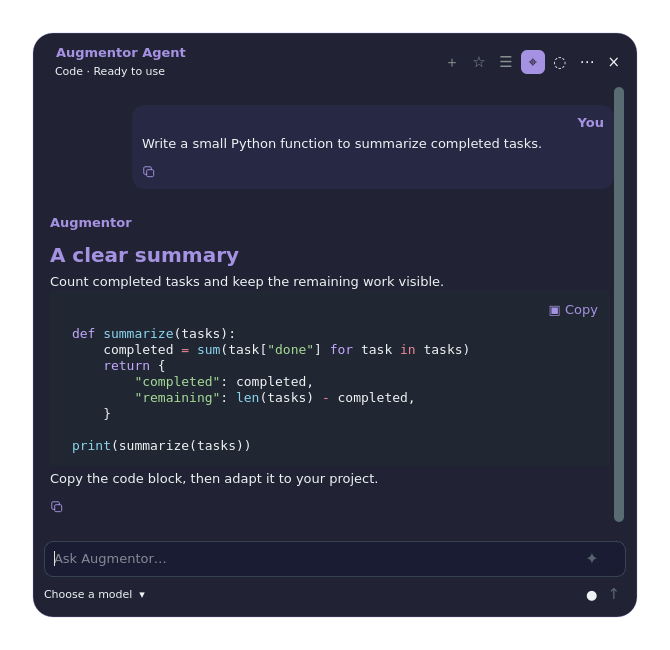
Code has its own space.
Colour makes structure easier to follow. A dedicated copy control keeps the code ready for your next step.
Actual Desktop UI · staged code example · open image to inspect
YOUR SPACE, YOUR COLOURS
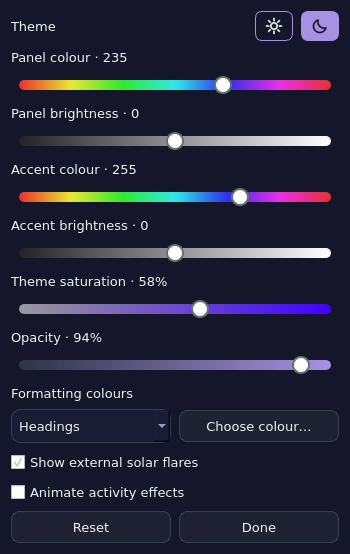
Comfort is personal.
Tune the colours and transparency. Keep the glow, soften it, or turn the effects off.
Actual Desktop appearance controls · violet configuration
DSH ADD-ONS · OPTIONAL EXTRAS
Add more to DSH.
The complete preview already includes its required plugins and shared prompt library. Other DSH add-ons can extend your workspace. The older collection below is kept for standalone DSH users; its versions differ from the complete release.
✧
Augmentor
Browser actions and the visible activity veil.
0.2.13 bundle✧
Metafolder
Group projects and sessions into named, coloured folders.
1.2.1✧
Model Picker
Find models, pin favourites and hide those you do not use.
1.1.2✧
Adaptive Reasoning
Tune reasoning effort for configured model routes.
0.2.3 · Preview✧
Prompt Library
Save, search and edit reusable prompts.
0.2.1 · Preview↗
Steering
Apply corrections during model output; running tools finish first.
September 14, 2026 collection · six packages, separate installers and checksums, not an automatic install. Includes two previews. This dated collection contains vulnerable Browser 0.1.32 and Adaptive Reasoning 0.2.0. Do not install its Augmentor package; use the current complete release. It it does not include Desktop or the matching 0.2.13 Browser companion. Model and plugin compatibility must be checked against your DSH setup.